
Key takeaways
- Receiver output — 3.5mm TRS for most mirrorless/DSLR mic inputs, sometimes with a USB-C or Lightning variant for phone use; checking that the receiver’s output matches the camera’s mic jack type avoids needing an adapter.
- Range — makers typically list line-of-sight range figures (often several hundred feet) that drop substantially indoors or through walls and crowds; real-world range is usually well under the rated figure.
- Latency — digital wireless systems add a small delay between the transmitter and receiver; most modern consumer systems keep this low enough to be unnoticeable for talking-head video, but it matters more for anything syncing to live monitoring.
- Number of channels — single-channel systems pair one transmitter to one receiver; multi-channel systems let two or more transmitters feed a single receiver, useful for two-person interviews without a second receiver.
- Built-in recording — several current systems include onboard storage on the transmitter itself, so audio keeps recording even if the wireless link drops.
A two-piece wireless lavalier system with a camera-mounted receiver suits solo creators and run-and-gun shooters who need instant plug-and-play audio on a DSLR or mirrorless body, while a multi-channel system with separate transmitters per speaker suits interviews and multi-person shoots where each voice needs its own clean track.
As an Amazon Associate, we earn from qualifying purchases made through links on this page.
What Matters Most When Choosing a Wireless Lav System for a DSLR
Most modern wireless lavalier systems share the same basic shape — a small clip-on transmitter, a receiver that mounts to the camera, and a lav mic cable or built-in mic — but they differ in ways that matter once they’re actually attached to a camera rig.
- Receiver output — 3.5mm TRS for most mirrorless/DSLR mic inputs, sometimes with a USB-C or Lightning variant for phone use; checking that the receiver’s output matches the camera’s mic jack type avoids needing an adapter.
- Range — makers typically list line-of-sight range figures (often several hundred feet) that drop substantially indoors or through walls and crowds; real-world range is usually well under the rated figure.
- Latency — digital wireless systems add a small delay between the transmitter and receiver; most modern consumer systems keep this low enough to be unnoticeable for talking-head video, but it matters more for anything syncing to live monitoring.
- Number of channels — single-channel systems pair one transmitter to one receiver; multi-channel systems let two or more transmitters feed a single receiver, useful for two-person interviews without a second receiver.
- Built-in recording — several current systems include onboard storage on the transmitter itself, so audio keeps recording even if the wireless link drops.
Top Picks at a Glance
| Model / tier | Best for | Key stated specs | Limits |
|---|---|---|---|
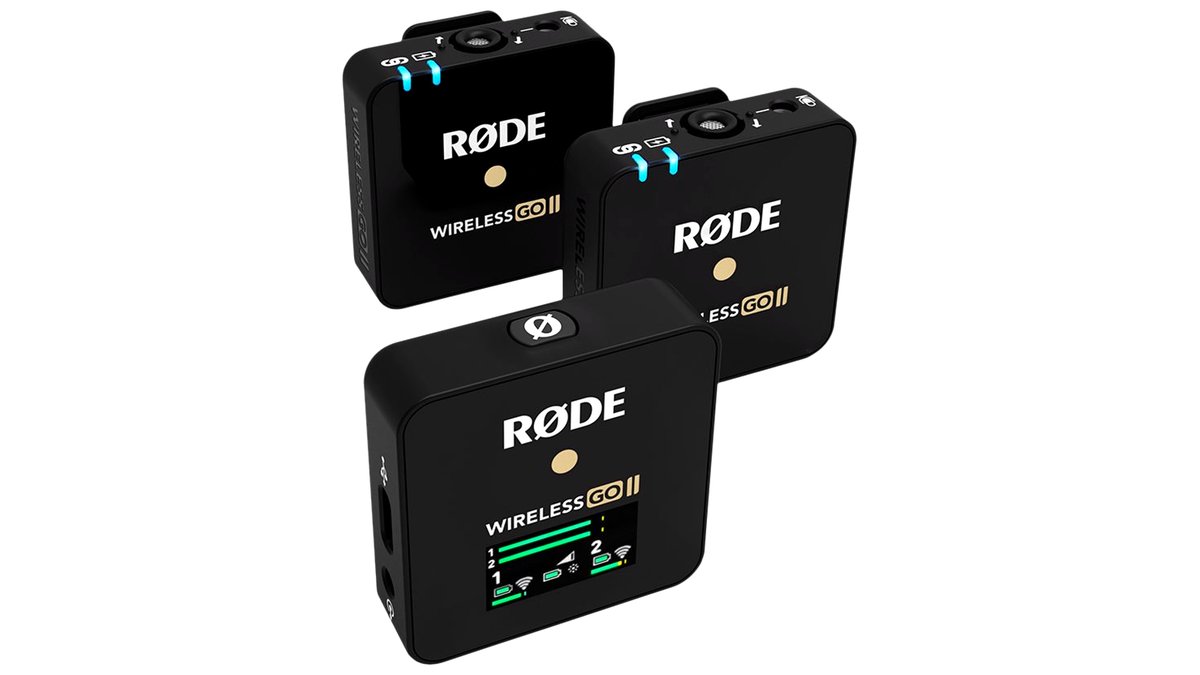
| RODE Wireless GO/ME-class two-channel system | Solo creators and two-person interviews on a DSLR or mirrorless body | The maker lists onboard transmitter recording, a compact camera-mount receiver, and dual-channel operation with two transmitters | Clip-on build is less discreet than a separate lav mic capsule on some versions |
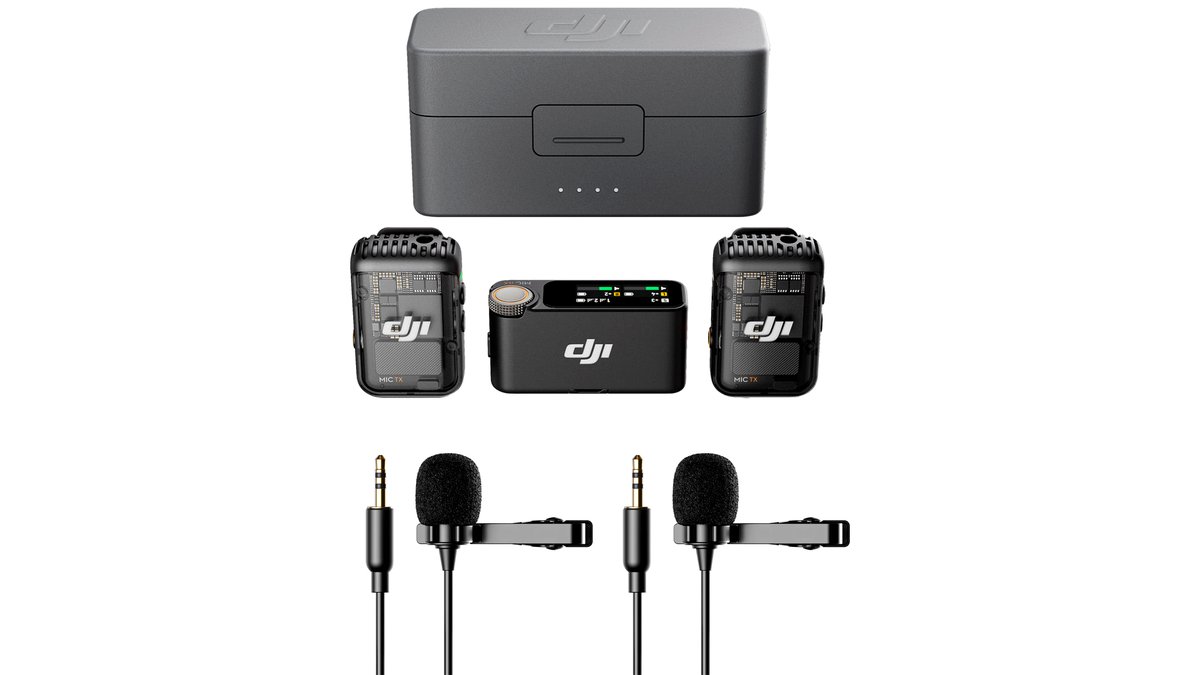
| DJI Mic-class system | Creators wanting rugged build and app-based control | DJI lists onboard storage on the transmitter, a charging case, and multi-channel recording on higher-tier versions | Charging case adds bulk to a kit bag; app dependency for some advanced settings |
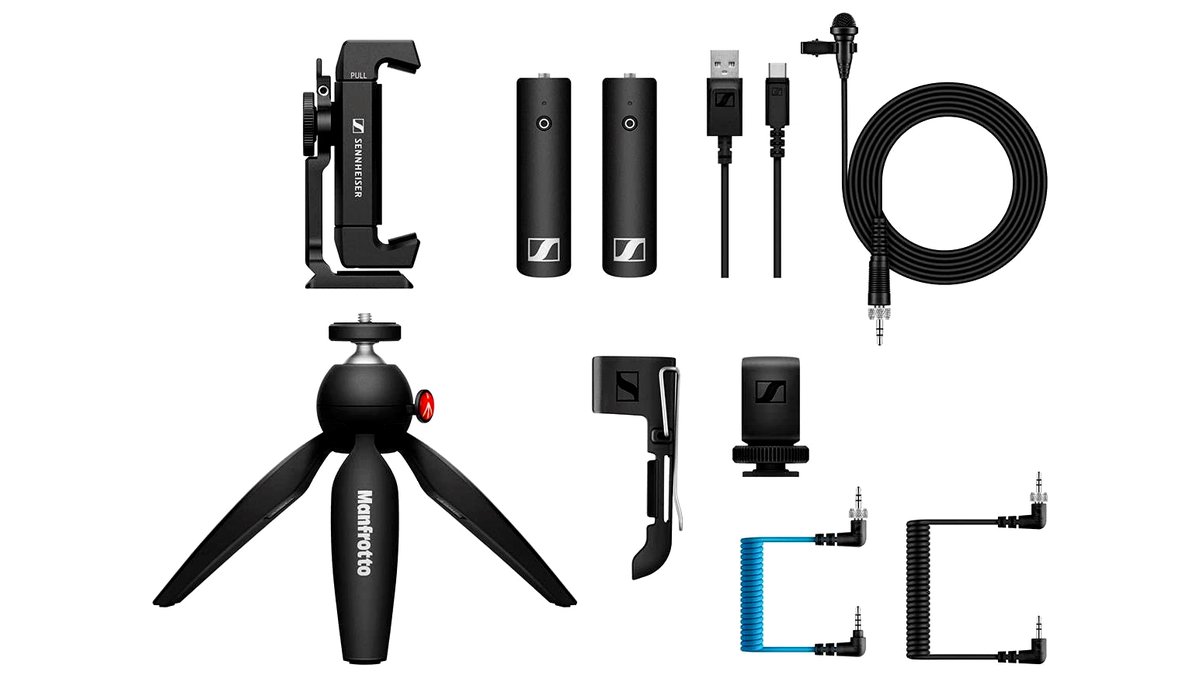
| Sennheiser XSW-D-class system | Users wanting simple plug-and-play with minimal menus | Sennheiser lists a direct-plug transmitter/receiver design with a lav mic input on the transmitter | Fewer onboard features than app-controlled competitors; single-channel on base models |
| Budget two-piece clip-on system | Occasional or budget-first shooters | Entry-level listings commonly state several hours of battery life and a simplified single-channel design | Shorter real-world range and more susceptibility to interference, per reviewer reports |
Compatibility and Fit Notes for DSLR Use
The receiver needs to sit somewhere on the camera body or rig without blocking a flip screen, viewfinder, or grip — on smaller mirrorless bodies this can mean using the included cold-shoe mount on a cage or extension arm rather than the camera’s own hot shoe, especially if a monitor or light is already mounted there. Checking the receiver’s power source matters too: most run on an internal rechargeable battery, but some draw power from the camera’s hot shoe or a separate battery pack, which affects how long a shoot day can run without a recharge.
For wardrobe, clip placement on the transmitter affects sound quality more than most buyers expect — mounting too close to fabric that rubs or too far from the mouth both show up clearly in the recording. A lav mic windscreen or foam cover helps with handling noise and breath sounds regardless of which system is used.
Pick X If…
| Pick this if… | Recommended type |
|---|---|
| You’re shooting solo content and want the simplest setup | Single-transmitter two-piece system with onboard backup recording |
| You regularly shoot two-person interviews | Multi-channel system supporting two or more transmitters on one receiver |
| You want minimal menus and app setup | Direct plug-and-play system without app dependency |
| Budget is the main constraint and use is occasional | Budget single-channel clip-on system |
A Few Alternatives Worth Knowing About
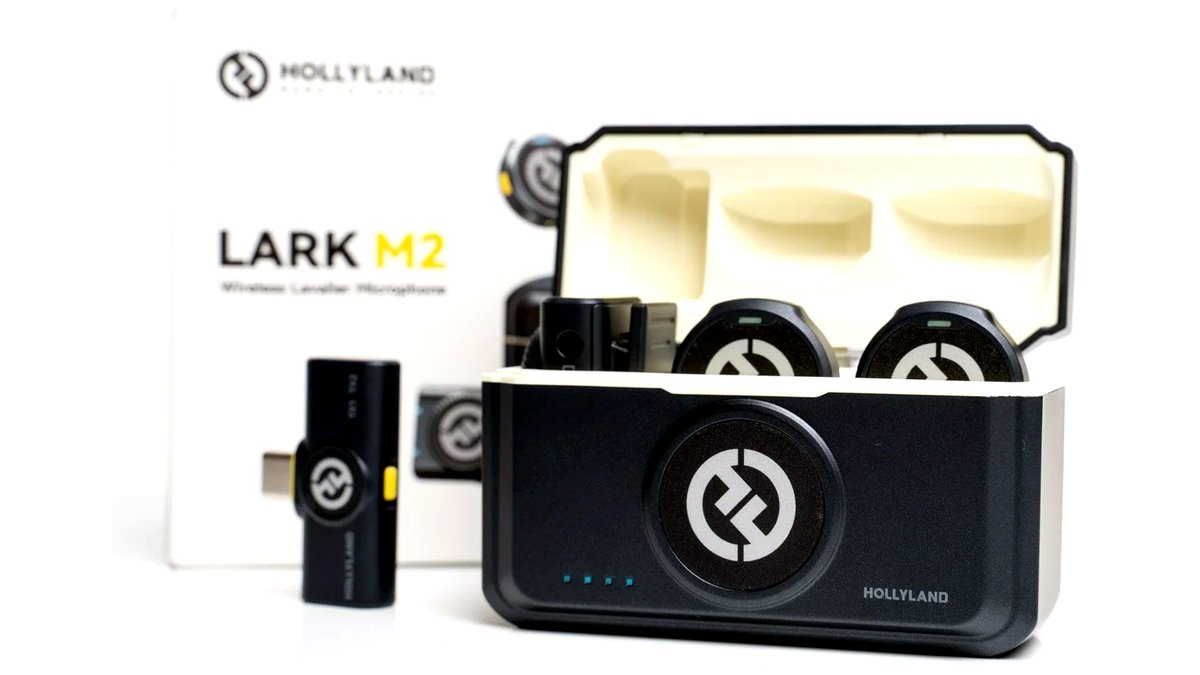
Hollyland Lark-class systems are frequently mentioned by reviewers as a lower-cost alternative with a compact charging case design similar to wireless earbuds, aimed at creators who want grab-and-go simplicity.
Wired lavalier mics (plugged directly into the camera or a belt-pack transmitter the user already owns) remain a reasonable alternative when the subject stays close to camera and cable management isn’t a problem — they avoid wireless interference entirely and tend to cost less.
Boundary or on-camera shotgun mics are worth considering as an alternative setup for single-subject interviews where clipping a lav onto wardrobe isn’t practical or desired.
Getting Reliable Results From a Wireless Lav System
Scouting for RF interference before a shoot matters more with wireless lav systems than with most other camera gear, since crowded Wi-Fi networks, other wireless mic systems nearby, and even some lighting equipment can cause dropouts or static. Most current systems include a channel-scan or auto-pairing feature specifically to work around this, and running that scan at the actual shoot location — rather than trusting a setting from a previous location — reduces the chance of interference showing up mid-recording.
Clip placement on clothing affects audio quality as much as the system itself. Mounting the transmitter around chest height, pointed toward the mouth and away from fabric that rubs against it with movement, gives a more consistent level than clipping it lower or against a stiff collar. For windy outdoor shoots, a foam windscreen over the lav capsule — sometimes included, sometimes a separate accessory — cuts down on handling and wind noise that’s otherwise difficult to remove afterward.
Running a short test recording before the actual take, checking both the wireless signal and the audio level on the camera or an attached monitor, catches a dead battery, a loose clip, or a muted channel before it costs a usable take — a habit reviewers and working videographers both describe as the single most effective way to avoid losing audio on an otherwise good shot.
Carrying a basic backup plan also pays off on longer shoot days: spare batteries or a charged power bank for USB-rechargeable transmitters, and, kit bag space allowing, a simple wired lavalier as a fallback in case the wireless link has an unusually bad day in a crowded RF environment. None of this is specific to any one brand, but it is the kind of practical habit that separates a smooth multi-hour shoot from one interrupted by an avoidable gear problem. Storing transmitters and receivers in a padded case between uses, rather than loose in a bag, also protects the small antenna and connector components that are more fragile than the rest of the unit.
Frequently Asked Questions
How far can I move away from the camera before the audio cuts out?
Makers typically list a maximum line-of-sight range in the hundreds of feet, but indoor environments, walls, and crowds of people all shrink that considerably. For most indoor interview or vlogging setups, staying within a more conservative range than the rated maximum avoids dropouts.
Do I need a separate receiver for every camera I use?
Most consumer wireless lav kits pair a specific transmitter to a specific receiver, so switching cameras generally just means moving the receiver to the new camera’s mic input or hot shoe — a second receiver is only needed for recording to two cameras simultaneously.
Will Bluetooth interference from other devices disrupt the audio?
Most of these systems use a dedicated 2.4GHz digital wireless link rather than consumer Bluetooth, which makes them more resistant to typical phone and headphone interference, though crowded RF environments (large events, conventions) can still cause occasional dropouts.
Can the transmitter be used as a standalone recorder without the receiver?
On systems with onboard transmitter storage, yes — audio keeps recording to the transmitter’s internal memory even if the wireless link to the receiver drops or the receiver is left behind entirely, serving as a backup or primary recording method.
How long does the battery actually last on a full shoot day?
Stated battery life varies by model and is usually given for the transmitter, receiver, and any charging case separately. Reviewers generally recommend topping off between setups rather than relying on a single charge to cover an entire multi-hour shoot day.
Is a wireless lavalier system worth it over my camera’s built-in mic for DSLR video?
For any video where dialogue clarity matters — interviews, talking-head content, vlogging while moving — a lavalier placed close to the subject’s mouth consistently outperforms a camera’s built-in mic, which is positioned far from the subject and picks up ambient and handling noise.








