
Key takeaways
- Small huddle rooms do best with a wide-angle USB webcam-style conference camera, mid-size rooms need a PTZ (pan-tilt-zoom) camera with auto-framing, and large boardrooms call for a PTZ paired with an external audio system or a dedicated video bar. The…
Small huddle rooms do best with a wide-angle USB webcam-style conference camera, mid-size rooms need a PTZ (pan-tilt-zoom) camera with auto-framing, and large boardrooms call for a PTZ paired with an external audio system or a dedicated video bar. The right pick depends mostly on room size, how many people typically sit in frame, and whether the room already has a soundbar or ceiling microphones.
As an Amazon Associate, we earn from qualifying purchases made through links on this page.
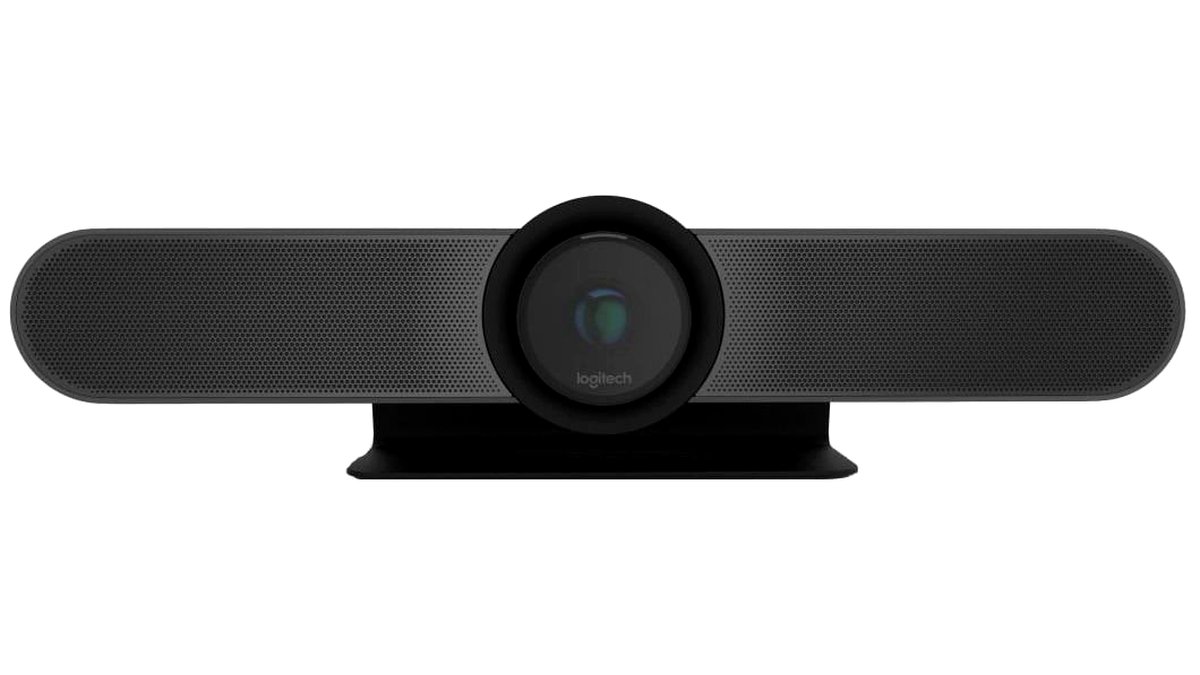
Conference room cameras sit in a different category from webcams and home security cameras. They are built to cover a wide seating area, hold color and exposure steady under mixed office lighting, and integrate with platforms like Zoom, Microsoft Teams, and Google Meet either as a plug-and-play USB device or as a room-system component controlled by a touch panel. Below is a practical breakdown of the main types, what each is good for, and how to match one to a room.
Types of Conference Room Cameras and Who They Fit
All-in-one video bars
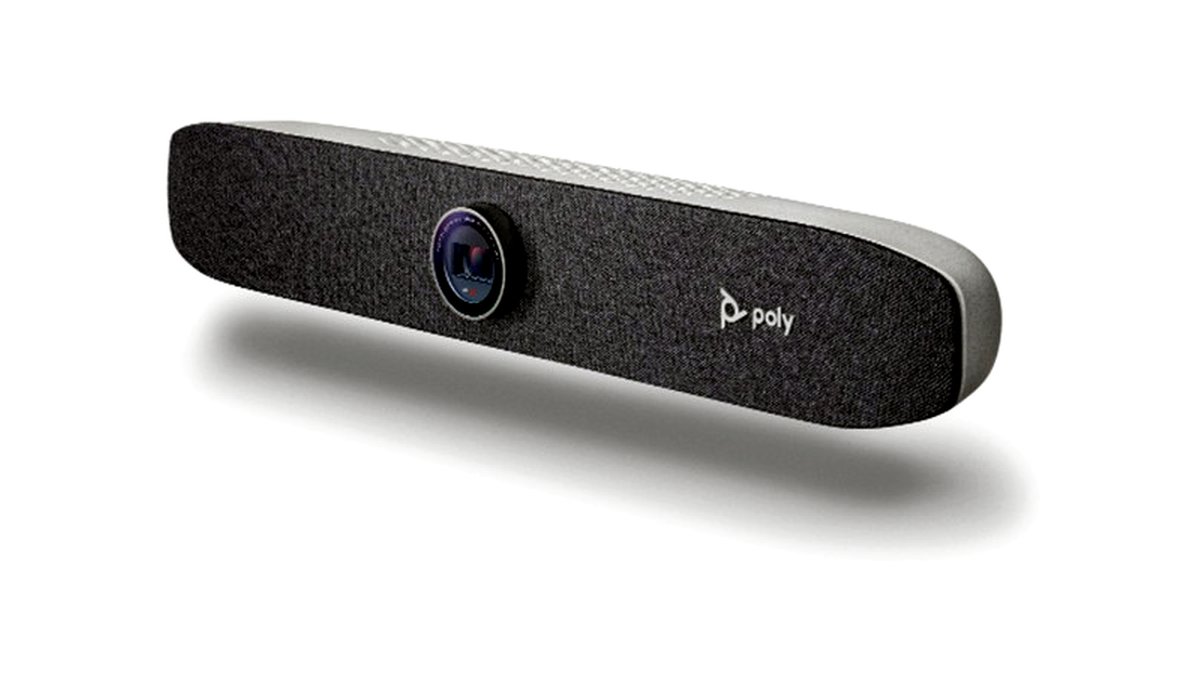
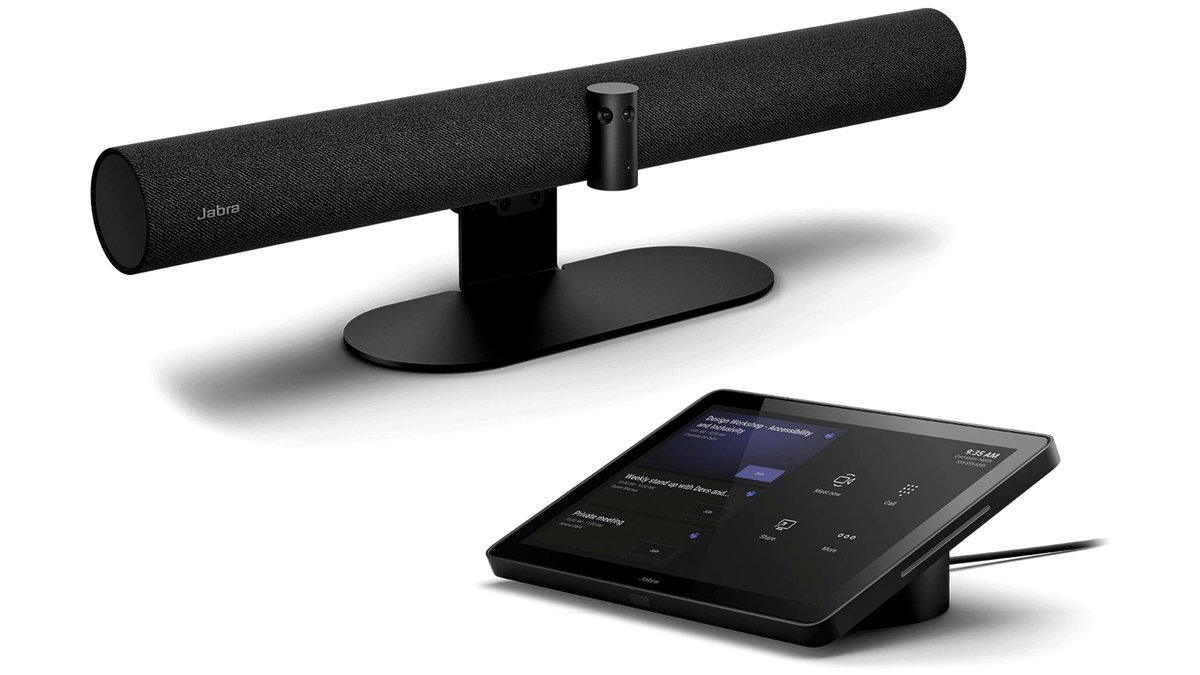
Video bars combine a camera, speakers, and a microphone array into a single unit that mounts under or above a display. The maker lists models such as Poly Studio and Logitech Rally Bar as designed for huddle rooms up to mid-size rooms seating roughly 6-10 people. Because the microphone and speaker are built in, these units cut down on cabling and are a common choice for rooms that do not already have ceiling audio installed. Many support auto-framing, which keeps the visible group centered in frame as people move or as seats fill and empty.
PTZ cameras
Pan-tilt-zoom cameras are standalone units, usually mounted above or below the display or on a wall bracket, that can be remotely aimed and zoomed, either manually or automatically. PTZ cameras from brands such as PTZOptics and Logitech are typically paired with a separate microphone and speaker system in larger rooms. Reviewers at outlets covering AV integration note that PTZ units give installers more flexibility because the camera position and audio gear can be chosen independently, which matters in rooms with unusual seating layouts or longer tables.
Wide-angle webcam-style units
Compact wide-angle cameras, often USB-powered, are built for small huddle rooms or phone-booth-style spaces with two to four seats. The maker lists fields of view in the 120-degree range for several of these models, wide enough to fit a small table into frame without a zoom or pan motor. They are the simplest to set up since most plug directly into a laptop or small-room compute unit with no separate control software.
At a Glance: Conference Camera Types Compared
| Type | Best for | Key stated features | Limits |
|---|---|---|---|
| All-in-one video bar | Huddle to mid-size rooms (4-10 seats) | Built-in mic array and speakers, auto-framing, single-cable mount | Audio and camera cannot be upgraded separately |
| PTZ camera | Mid-size to large boardrooms (8-20+ seats) | Remote pan/tilt/zoom, presets, pairs with external audio | Needs separate microphones and often an installer |
| Wide-angle webcam-style | Small huddle rooms, phone booths (2-4 seats) | Fixed wide field of view, USB plug-and-play | No zoom or framing for larger groups |
| Multi-camera/AI-switching systems | Large boardrooms, hybrid classrooms | Multiple lenses switch automatically based on who is speaking | Higher setup complexity, usually needs professional install |
What to Check Before Buying
Field of view and room depth
Match the camera’s field of view to the table length, not just the room’s square footage. A narrow table with people seated close together needs less horizontal coverage than a long boardroom table seating people on both sides. The maker’s spec sheet lists the horizontal field of view in degrees; a wider angle fits more of the room but can make people near the edges look stretched on cheaper lenses.
Auto-framing and speaker tracking
Auto-framing crops and zooms the live feed to keep the group centered, which reviewers say meaningfully improves the remote-participant experience in rooms where attendance varies meeting to meeting. Speaker tracking, available on some PTZ and multi-camera systems, shifts the view toward whoever is talking. Both features depend on onboard processing power, so stated performance varies by model and firmware version.
Platform certification
Check whether the camera is certified for the specific platform the office uses. Microsoft Teams Rooms and Zoom Rooms both maintain certified-hardware lists, and a camera built for one ecosystem may lack some management features on another, even if basic video calling still works through USB.
Lighting handling
Offices with large windows or mixed fluorescent and daylight lighting put more strain on image sensors. Cameras with wider dynamic range handle backlit windows and dim corners more evenly, while basic models can wash out window-facing seats or leave the far end of the room underexposed.
Microphone pairing
If buying a standalone PTZ camera, the microphone system determines voice pickup range as much as, or more than, the camera. Ceiling microphone arrays, table pucks, and the camera’s own embedded mic all have different pickup distances; a long boardroom table generally needs more than one microphone point for even pickup.
Pick X If… Decision Table
| If your situation is… | Consider… |
|---|---|
| Small 2-4 seat huddle room, no existing AV budget for installation | A compact wide-angle USB camera |
| Mid-size room (6-10 seats), want a simple single-unit setup | An all-in-one video bar with auto-framing |
| Larger boardroom with an existing or planned ceiling mic system | A standalone PTZ camera paired with that audio system |
| Large or irregularly shaped room, hybrid classroom, or training space | A multi-camera AI-switching system with professional installation |
| Office already standardized on Teams Rooms or Zoom Rooms hardware | A camera from that platform’s certified-hardware list |
Fit and Compatibility Notes
Mounting matters as much as the camera spec sheet. Video bars are typically designed to sit on a shelf below a display or mount to a VESA bracket, and the stated weight and depth should be checked against the display stand or wall mount in the room. PTZ cameras often ship with their own wall or ceiling bracket, and cable runs for power and data (frequently USB or HDMI, depending on whether the room uses a dedicated compute unit) should be planned before installation, especially in rooms with finished walls or exposed cable runs that need to be kept tidy. Rooms using a laptop-based “bring your own device” setup generally favor USB cameras, while rooms built around a dedicated room computer or appliance can use cameras connected through that system’s own ports, which may offer more stable performance than a laptop’s USB bus.
Alternatives Worth Considering
Tablet or laptop camera with a clip-on wide-angle lens: For very small or temporary setups, a clip-on wide-angle lens attached to an existing laptop camera can expand the field of view without a dedicated purchase, though image quality and low-light performance stay limited by the laptop’s built-in sensor.
Smart display-based video calling devices: Some all-in-one smart displays include a built-in wide-angle camera and speaker and are marketed for small meeting spaces; these trade some professional features, like multi-platform certification, for a lower setup complexity.
Modular room kits: Several manufacturers sell bundled kits combining a PTZ or wide-angle camera with a matched microphone and a compute module, aimed at IT teams that want a tested combination rather than selecting each component separately.
Frequently Asked Questions
How many seats does a typical huddle-room camera cover well?
Most wide-angle and video-bar cameras built for huddle rooms are designed around four to ten seats, based on their stated field of view. Rooms larger than that generally see better framing from a PTZ camera that can pan and zoom rather than a fixed wide lens.
Do conference cameras need a separate microphone?
All-in-one video bars include a built-in microphone array and usually do not need a separate microphone in small to mid-size rooms. Standalone PTZ cameras, however, are typically paired with external microphones, especially in larger rooms where a single built-in mic cannot pick up voices evenly across the table.
What is auto-framing and is it necessary?
Auto-framing is a feature that automatically crops and adjusts the camera’s zoom to keep the group of people centered in the video feed as attendance changes. It is not strictly necessary, but reviewers covering AV equipment generally note it improves the experience for remote participants in rooms where the number of people varies from meeting to meeting.
Can a regular webcam be used in a conference room instead?
A regular webcam can work in a very small room with one or two people close to the camera, but most standard webcams have a narrower field of view than cameras built specifically for conference rooms, so they tend to cut off people seated at the edges of a table.
What does PTZ mean and when is it worth the extra setup?
PTZ stands for pan-tilt-zoom, describing a camera that can be remotely aimed and zoomed rather than staying fixed on one wide shot. It is generally worth the added setup in larger rooms or rooms with long tables, where a fixed wide-angle lens would need to show too much empty space to keep everyone in frame.
Does the camera need to match the video conferencing software used?
Basic USB video calling generally works across most platforms without special certification, but platforms like Microsoft Teams Rooms and Zoom Rooms maintain certified-hardware lists that unlock additional management and control features. Checking that list before buying helps avoid losing features the office may want later, such as centralized device management.








