
Key takeaways
- Phone size and case compatibility: Clip-on grips need to fit the phone’s width, and some clamps don’t close properly over a thick protective case; checking the stated size range against the phone-plus-case combination avoids a grip that’s too tight or too loose.
- Mounting point placement: Grips that attach near the camera lenses can risk covering part of the lens or flash on some phone models; comparing lens placement against the grip’s attachment point is worth a quick check before buying.
- Charging and batteries: Bluetooth grips need periodic charging or battery replacement, so confirming the connector type and expected battery life helps avoid a grip that’s dead when needed.
- Tripod thread standard: Most tripod-ready grips use a standard 1/4-inch thread, which fits the vast majority of consumer tripods and smartphone mounts, but it’s worth confirming before assuming compatibility with a specific existing tripod.
- Accessory mounts: Cold-shoe mounts for lights or microphones vary in exact size and locking mechanism between brands, so checking compatibility with any existing accessories avoids a mismatch.
Casual photo takers who mostly want a steadier one-handed grip and a physical shutter button fit best with a basic clip-on grip, vloggers and content creators who shoot a lot of video need a grip with a built-in record trigger and tripod mount, and anyone who wants a grip that doubles as a stand should look at a folding kickstand-style grip. Phone camera grips differ mainly in how they attach, whether they include a physical shutter trigger, and whether they fold flat or stay rigid.
As an Amazon Associate, we earn from qualifying purchases made through links on this page.
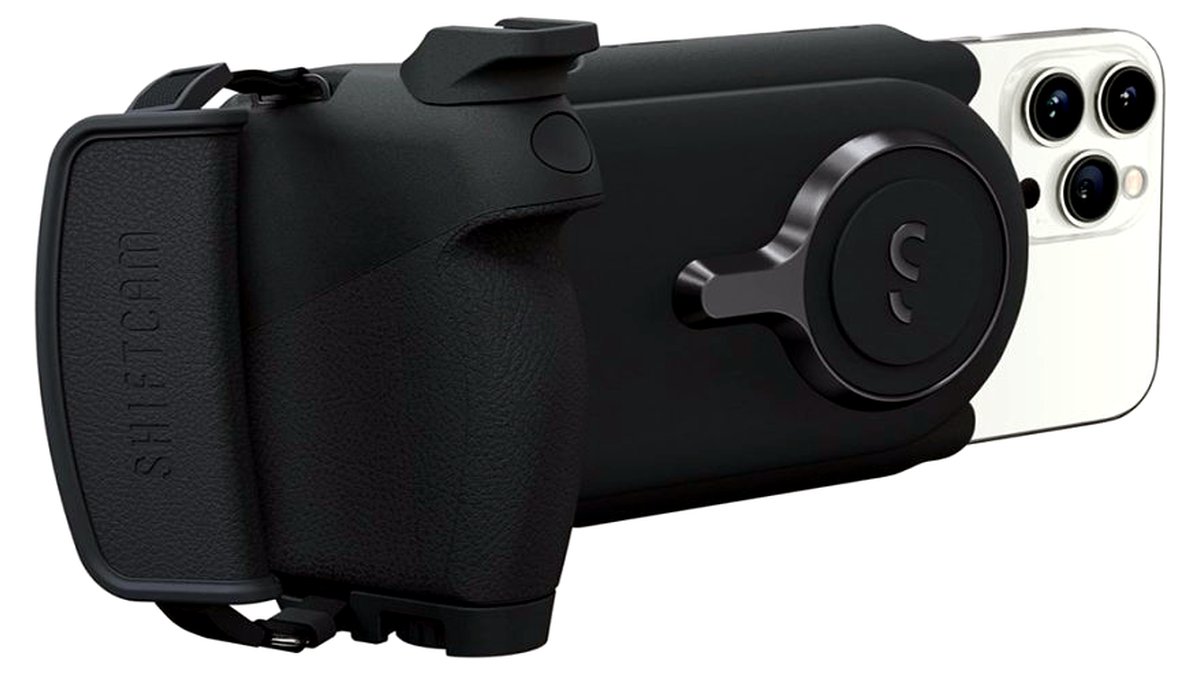
Who Needs a Phone Camera Grip
A dedicated camera grip helps whenever a bare phone becomes awkward to hold steady, which is common during one-handed shooting, long video sessions, low-light shots that need extra stability, or any time cold or wet hands make gripping a slim phone harder. They’re also useful for anyone who wants the tactile feel of a shutter button instead of tapping a touchscreen.
Phone Camera Grips at a Glance
| Category | Best for | Key stated specs | Limits |
|---|---|---|---|
| Basic clip-on grips | Everyday one-handed shooting | The maker lists a spring-loaded or adjustable clamp and a textured grip surface | Usually no electronic shutter trigger; relies on the phone’s touchscreen |
| Bluetooth shutter-trigger grips | Stills photographers wanting a physical button | The maker lists a wireless Bluetooth connection and a dedicated shutter button | Needs charging or a replaceable battery; another device to keep charged |
| Vlogging/video grips with tripod mount | Content creators and video-first users | The maker lists a built-in record trigger, cold-shoe mount for lights or microphones, and a standard tripod thread | Bulkier and heavier than a simple clip-on grip; not ideal for quick pocket carry |
| Folding kickstand grips | Hands-free photos and video calls | The maker lists a folding stand function alongside the grip handle | Stand stability depends on surface flatness; not a substitute for a full tripod |
Picking by Use Case
Everyday Photos and Casual Use
A basic clip-on grip adds a secure handhold and a more comfortable angle for everyday photos without adding much bulk or another device to charge. It’s the simplest upgrade for anyone whose main complaint is a slippery phone or shaky one-handed shots.
Stills Photography with a Physical Button
Photographers who want to compose with the phone held like a small camera, rather than tapping a touchscreen, benefit from a Bluetooth shutter-trigger grip. A physical button reduces the camera shake that often comes from tapping the screen itself to take a photo.
Vlogging and Video Content
Creators recording video regularly, especially walk-and-talk or outdoor content, do best with a grip built specifically for vlogging, which usually adds a record trigger, a cold-shoe mount for a small light or microphone, and a standard tripod thread for mounting on sticks or tripods.
Hands-Free Shooting and Video Calls
A folding kickstand grip covers situations where the phone needs to stand on its own, such as framing a shot before a self-timer photo or propping the phone up for a video call. It won’t replace a dedicated tripod on uneven ground, but it’s convenient for flat surfaces like a desk or table.
Fit and Compatibility Notes
- Phone size and case compatibility: Clip-on grips need to fit the phone’s width, and some clamps don’t close properly over a thick protective case; checking the stated size range against the phone-plus-case combination avoids a grip that’s too tight or too loose.
- Mounting point placement: Grips that attach near the camera lenses can risk covering part of the lens or flash on some phone models; comparing lens placement against the grip’s attachment point is worth a quick check before buying.
- Charging and batteries: Bluetooth grips need periodic charging or battery replacement, so confirming the connector type and expected battery life helps avoid a grip that’s dead when needed.
- Tripod thread standard: Most tripod-ready grips use a standard 1/4-inch thread, which fits the vast majority of consumer tripods and smartphone mounts, but it’s worth confirming before assuming compatibility with a specific existing tripod.
- Accessory mounts: Cold-shoe mounts for lights or microphones vary in exact size and locking mechanism between brands, so checking compatibility with any existing accessories avoids a mismatch.
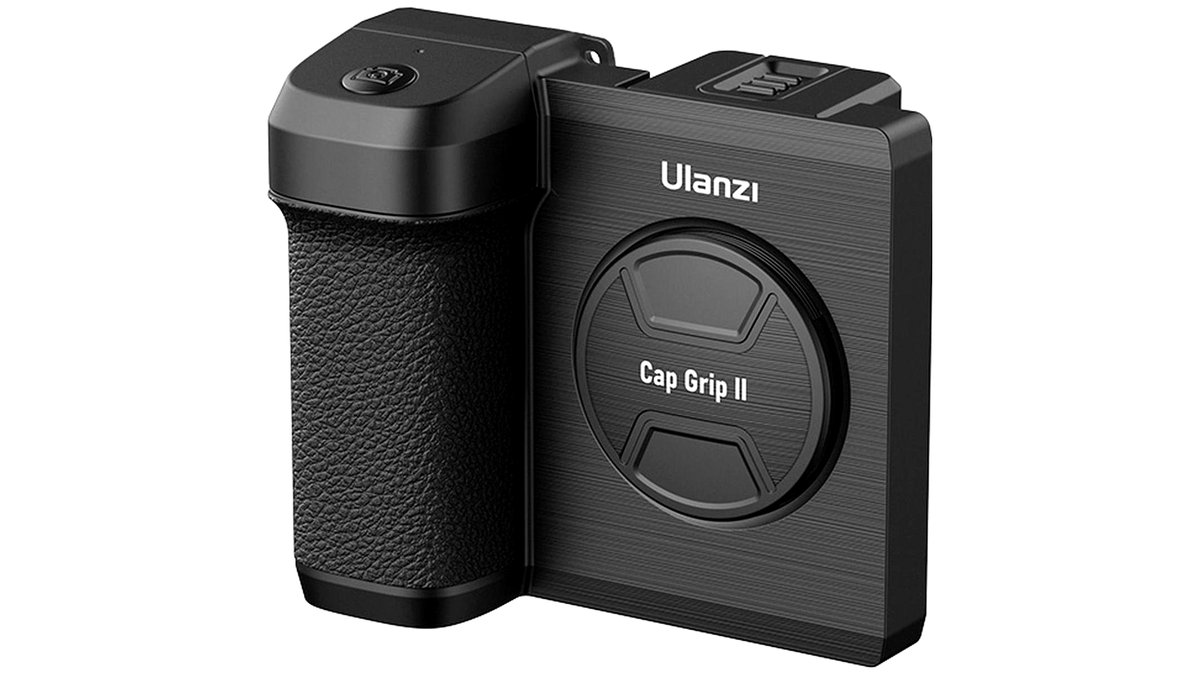
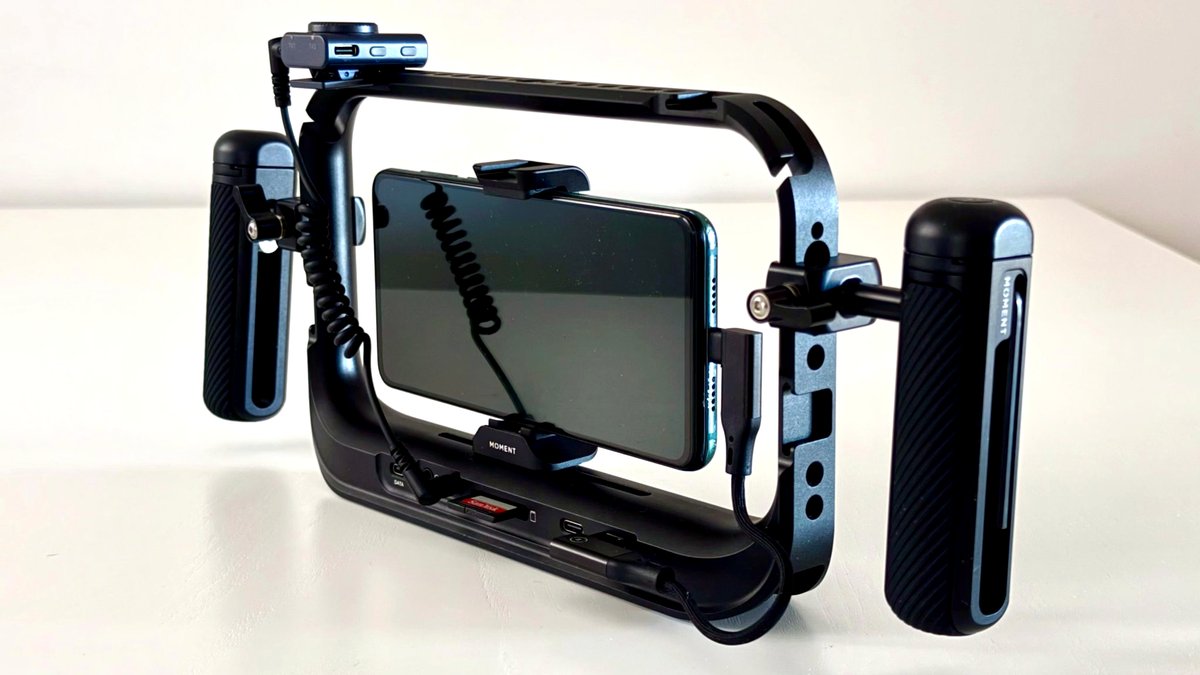
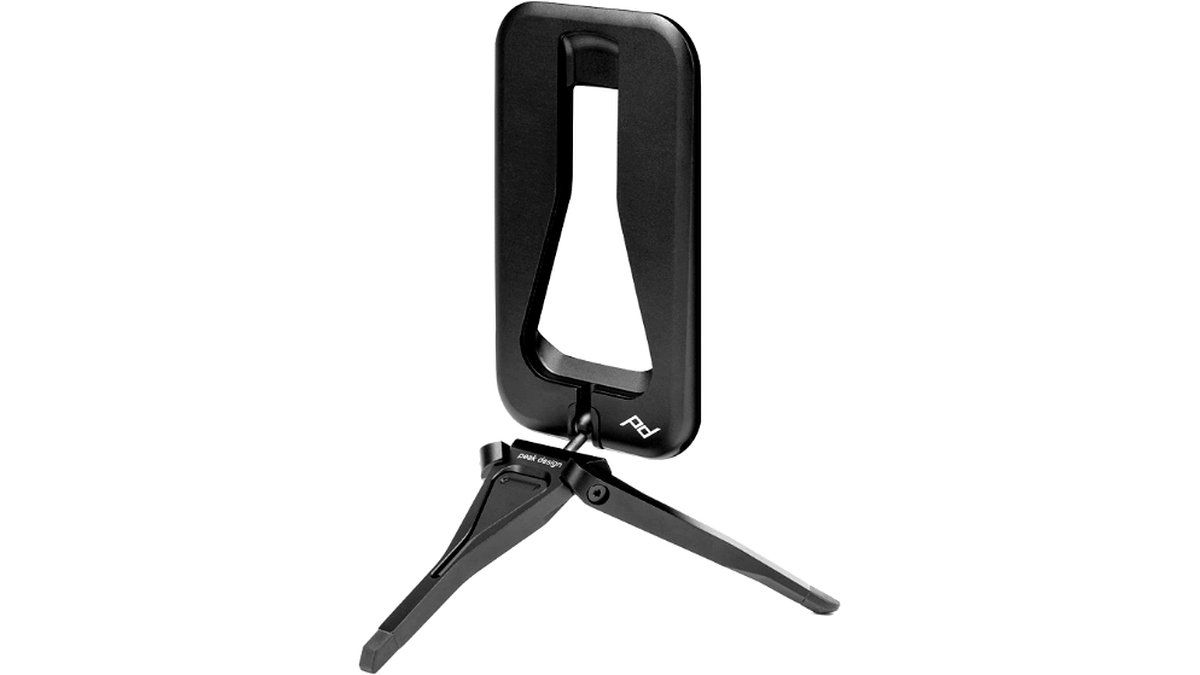
Pick This One If…
| Situation | Recommended category |
|---|---|
| You just want a steadier one-handed grip | Basic clip-on grip |
| You want a physical shutter button for stills | Bluetooth shutter-trigger grip |
| You shoot video or vlog regularly | Vlogging/video grip with tripod mount |
| You need the phone to stand on its own sometimes | Folding kickstand grip |
Alternatives Worth Comparing
Buyers researching phone grips often compare PopSockets’ expanding grip-and-stand line, which trades some of the dedicated camera features for a slimmer everyday-carry design. ShutterGrip-style accessories built specifically around a physical shutter button are a common comparison for stills-focused buyers. Smartphone gimbal-and-grip combo devices are worth considering as an alternative for anyone who finds a basic grip insufficient and actually needs stabilization during movement, not just a steadier hold while standing still.
Common Buying Mistakes to Avoid
A common mistake is buying a clip-on grip without checking it against the phone’s existing case, which can leave the clamp either too loose to feel secure or too tight to attach without removing the case every time. Measuring the phone-plus-case thickness against the grip’s stated range before ordering avoids this back-and-forth.
Another frequent error is choosing a simple clip-on grip for video work that actually calls for a vlogging-style grip with a cold-shoe mount and tripod thread, then discovering there’s nowhere to attach a microphone or light later. Thinking through the accessories likely to be added down the line, not just the current setup, makes it easier to pick a grip that won’t need replacing soon.
Frequently Asked Questions
Will a camera grip fit my phone if it’s in a thick case?
It depends on the grip’s stated clamp width range; some grips are designed with extra room for cases while others fit snugly to a bare phone. Checking the manufacturer’s listed compatible width before buying avoids a grip that won’t close properly or that squeezes too tightly.
Do Bluetooth shutter grips work with any phone’s camera app?
Most Bluetooth shutter triggers work with the phone’s native camera app through the standard volume-button shutter function, but third-party camera apps don’t always support external Bluetooth triggers the same way. Checking the grip’s stated compatibility with the camera app actually being used is worth doing before relying on it.
How long does the battery last on a Bluetooth camera grip?
Battery life varies by model and is generally stated by the manufacturer in terms of hours of active use or days of standby, with the exact figure depending on how often the trigger is pressed and whether the grip has other features like lights. Occasional users will usually find these ratings generous, while heavy daily shooters should expect to recharge more often than the headline number suggests.
Can a phone grip actually reduce camera shake?
A grip with a more substantial handle changes how the phone is held, which can reduce minor shake compared to pinching a slim phone with fingertips, and a physical shutter button avoids the small jolt that comes from tapping the screen. For movement-heavy shooting, a grip alone won’t match the stabilization of a dedicated gimbal, which uses motorized compensation rather than just a better hold.
Do these grips interfere with wireless charging or MagSafe-style accessories?
Some clip-on grips cover the back of the phone in a way that blocks wireless charging pads or magnetic mounts, while others are designed with a cutout or magnetic layer to stay compatible. Checking the product description for explicit wireless-charging or magnetic-accessory compatibility avoids an unpleasant surprise after buying.
Are folding kickstand grips sturdy enough for outdoor use?
Kickstand grips generally work best on flat, stable surfaces like a table or ledge, and manufacturers typically don’t position them as a replacement for a tripod on uneven ground, in wind, or on soft surfaces like sand or grass. For outdoor shooting where stability really matters, a compact tripod paired with a simple grip is the more reliable combination.








