Key takeaways
- Compare four ultrawide creator monitors for photo editing, from 34-inch curved panels to 40-inch 5K2K displays, and find the colour and size for your workflow.
Choosing an ultrawide monitor for photo editing means deciding how much screen you need beside your image, and how much colour accuracy you are willing to pay for. A wide panel lets the library grid, the filmstrip and the develop sliders sit open at once, yet a panel with a narrow gamut or coarse calibration will quietly mislead every edit you make on it. Resolution, panel type and connectivity shape the daily experience just as much as size does.
This guide suits photographers who edit in Lightroom or Capture One for hours at a time, retouchers who compare reference files beside a working image, and hybrid creators who cut video between stills sessions. It also fits home-studio owners who want one screen to replace a two-monitor arrangement. The four monitors below were chosen from the names and specifications shown on their Amazon product pages, with an emphasis on colour coverage, resolution, panel technology and the ports that matter at an editing desk.
Quick Picks
As an Amazon Associate we earn from qualifying purchases.
| Product | Best for | Key spec from title |
|---|---|---|
| Dell UltraSharp U4025QW | A single large canvas for editing and multitasking | 40-inch 5K2K WUHD curved display |
| LG 40WP95C-W | A wide 5K2K workspace with Thunderbolt 4 | 40-inch 5K2K Nano IPS display |
| ASUS ProArt PA34VCNV | Calibrated colour work on a curved 34-inch panel | 34-inch 3440 x 1440 IPS display |
| Dell S3425DW | Everyday photo editing with broad colour coverage | 34-inch 3440 x 1440 curved display |
How to Choose
Colour coverage comes before screen size
A monitor that cannot show the colours in a raw file will hide problems until the image reaches print or a client screen. Look for the gamut figures stated on the listing, such as sRGB and DCI-P3 coverage, and check whether the panel is factory calibrated with a stated Delta E figure. A 34-inch screen with full sRGB coverage and a Delta E below 2 gives a photographer a more trustworthy image than a larger panel with a narrower gamut. Wide-gamut coverage matters most when work moves between print and screen, because colours that fall outside a narrow gamut simply never appear during editing.
Resolution decides how much detail you can judge
Ultrawide monitors commonly run at 3440 x 1440, while the larger 40-inch models in this guide step up to 5120 x 2160. That extra horizontal and vertical resolution makes fine detail, skin texture and sharpening halos easier to judge without zooming in and out constantly. A 3440 x 1440 panel still gives a generous workspace for catalogues and panels, and it keeps text and interface elements at a comfortable size. Match the resolution to the files you edit: high-resolution camera files reward the denser 5K2K canvas, while smaller files and web delivery rarely demand it.
Panel type shapes viewing angles and contrast
IPS panels hold their colour steady when you lean in to inspect a corner or when a second person looks over your shoulder, which is why most creator monitors in this guide use IPS technology. VA panels, by contrast, tend to deliver deeper blacks and a higher stated contrast ratio, though colours can shift more noticeably off-axis. Curvature also plays a role: a gentle curve on a wide panel keeps the edges at a more even distance from your eyes. Before settling on a panel type, consider whether you edit alone at a fixed position or often share the screen with a client.
Connectivity and ergonomics decide the daily workflow
A monitor that doubles as a hub can replace a separate dock, so count the ports before buying. Thunderbolt 4 and USB-C with power delivery let a laptop connect, charge and drive the display through one cable, while extra USB-A ports take a card reader, a drive and a calibration device. Check the stand as well: height, tilt and swivel adjustment let you line the screen up with your eye level and reduce neck strain during long sessions. A VESA mount option matters too, because a 40-inch panel needs a sturdy arm or a desk with enough depth to hold it safely.
The 4 Best Options
Dell UltraSharp U4025QW

Photographers who want one screen to hold everything will find the Dell UltraSharp U4025QW hard to ignore. Its 40-inch curved canvas spreads a catalogue, a full-size preview and the editing panels across a single surface, so working through a wedding set or a long landscape series involves far less window shuffling. The IPS Black panel and wide gamut coverage suit colour-critical work, while the Thunderbolt hub keeps a laptop, drives and peripherals connected through the monitor itself. It suits a fixed studio desk best, where its width and weight can be accommodated properly.
Specs
- 40-inch class curved display with 5120 x 2160 5K2K WUHD resolution
- 21:9 aspect ratio with IPS Black panel technology
- 99% DCI-P3 and 100% sRGB colour coverage
- 120Hz refresh rate
- Thunderbolt connectivity
- VESA DisplayHDR 600
Best for: Photographers who want a single expansive 5K2K canvas for editing, reference images and multitasking.
Watch out for: Measure your desk depth and width before ordering, because a 40-inch curved panel needs considerably more space than a 34-inch model.
LG 40WP95C-W

The LG 40WP95C-W pairs the same generous 40-inch 5K2K canvas with a Nano IPS panel aimed squarely at creative work. Its wide gamut coverage and HDR10 support give photographers a broad, vivid image for judging colour and tone, while Thunderbolt 4 with 96W power delivery turns the monitor into a one-cable dock for a laptop. The curved screen wraps the workspace around the editor, which helps when a timeline, a preview and a set of adjustment panels all need to stay visible. It fits a Mac or Windows laptop workflow where a single cable and a large, detailed canvas matter most.
Specs
- 40-inch UltraWide curved display with 5120 x 2160 5K2K resolution
- Nano IPS panel with DCI-P3 98% (Typ.) coverage
- HDR10 support
- Thunderbolt 4 with 96W power delivery
- 72Hz refresh rate with 5ms response time
- AMD FreeSync support
- Tilt, height and swivel adjustable stand
Best for: Laptop-based photographers who want a 40-inch 5K2K screen that also charges the laptop over Thunderbolt 4.
Watch out for: Confirm your laptop supports Thunderbolt 4 and the stated power delivery, so the single-cable setup works as expected.
ASUS ProArt PA34VCNV

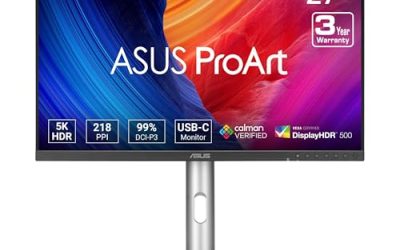
ASUS built the ProArt PA34VCNV around calibrated colour rather than sheer size, and that focus shows in its specification list. The 34.1-inch curved IPS panel covers the full sRGB and Rec.709 spaces with a stated Delta E below 2 and Calman verification, which gives photographers a dependable starting point for colour-critical edits. Its USB-C docking with 96W power delivery and an RJ45 Ethernet port make it a practical hub for a laptop-based studio, while the ergonomic stand adjusts to a comfortable editing position. It suits photographers who value trustworthy colour over the largest possible canvas.
Specs
- 34-inch ultrawide curved display with 3440 x 1440 resolution
- IPS panel with 21:9 aspect ratio and 3800R curve
- 100% sRGB and Rec.709 colour coverage
- Colour accuracy Delta E below 2 with Calman Verified calibration
- USB-C docking with 96W power delivery
- RJ45 Ethernet port
- 3-year warranty
Best for: Photographers who need factory-calibrated colour accuracy on a curved 34-inch ultrawide panel.
Watch out for: Check that the 3440 x 1440 resolution gives you enough vertical space for your editing software layout before choosing it over a taller 5K2K panel.
Dell S3425DW

The Dell S3425DW covers the essentials for everyday photo editing without the complexity of a flagship hub monitor. Its 34-inch curved VA panel pairs a high stated contrast ratio with broad colour coverage, so images look rich and saturated while the library and develop panels stay open beside them. A refresh rate of up to 120Hz keeps scrolling through a catalogue smooth, and integrated speakers remove the need for separate desktop audio. USB-C connectivity keeps the cable count down for laptop users. It fits photographers who edit regularly at home and want a wide, capable screen for both work and general use.
Specs
- 34-inch curved display with 3440 x 1440 resolution
- VA panel with 21:9 aspect ratio
- Refresh rate up to 120Hz
- AMD FreeSync Premium support
- 99% sRGB and 95% DCI-P3 colour coverage
- 3000:1 contrast ratio
- Integrated speakers
- USB-C connectivity with 65W power delivery
Best for: Home editors who want broad colour coverage and a smooth 120Hz curved panel for daily photo work.
Watch out for: Note that this model uses a VA panel, so check the viewing angles from your usual seating position if others often view the screen with you.
Which One Fits Your Situation
You edit high-resolution files all day
Choose the Dell UltraSharp U4025QW. Its 5120 x 2160 canvas shows fine detail and full-size previews without constant zooming, and the wide gamut coverage keeps colour decisions trustworthy across long sessions. The Thunderbolt hub also keeps drives and peripherals connected through the monitor, which suits a fixed studio desk where the screen rarely moves.
Your laptop is the centre of your workflow
Choose the LG 40WP95C-W. Thunderbolt 4 with 96W power delivery lets one cable carry the display signal and charge the laptop, while the 40-inch 5K2K Nano IPS panel gives a large, detailed workspace for catalogues and editing panels. It works well for photographers who dock a laptop at a desk and unplug to shoot on location.
Colour accuracy matters more than screen size
Choose the ASUS ProArt PA34VCNV. Its full sRGB and Rec.709 coverage, Delta E below 2 and Calman Verified calibration give a dependable colour starting point, and the USB-C docking with 96W power delivery plus Ethernet covers a laptop studio neatly. The 34-inch curved panel fits smaller desks while still holding the editing layout open.
You want a capable everyday editing screen
Choose the Dell S3425DW. Its 34-inch curved panel, 99% sRGB and 95% DCI-P3 coverage and up to 120Hz refresh rate cover daily photo editing comfortably, and the integrated speakers and USB-C connection keep the desk simple. It suits photographers who edit at home and want one wide screen for work, browsing and media.
Common Mistakes
- Buying the largest panel available without measuring desk depth, width and viewing distance first.
- Judging a monitor by size alone while ignoring the sRGB and DCI-P3 coverage figures on the listing.
- Assuming every ultrawide has hardware calibration, when many models rely on software profiles instead.
- Connecting a laptop with a cable that cannot carry the display signal and power delivery the monitor offers.
- Placing a curved ultrawide too close to a wall or window, where glare and reflections spoil shadow detail.
Power and Desk Safety
Ultrawide creator monitors run from mains power, so treat the power connection as part of the setup rather than an afterthought. Use the power cable supplied with the monitor, plug it directly into a properly earthed wall outlet or a good-quality surge-protected strip, and keep the cable away from chair wheels and walkways. Leave space around the rear vents so warm air can escape, and place the monitor on a stable desk or a mount rated for its size and weight. Keep drinks away from the screen and the ports, unplug the monitor during electrical storms or long absences, and never open the casing or attempt a repair yourself; contact the manufacturer or a qualified technician instead.
Frequently Asked Questions
Is a 34-inch or a 40-inch ultrawide better for photo editing?
A 40-inch 5K2K panel shows more detail and holds more panels open at once, which helps with high-resolution files and long editing sessions. A 34-inch panel at 3440 x 1440 still gives a generous workspace, fits smaller desks and usually costs less to accommodate. Choose the size that fits your desk depth and viewing distance, not simply the largest panel you can find.
Do I need a hardware calibrator with a factory-calibrated monitor?
Factory calibration gives a reliable starting point, yet panels drift over time and room lighting changes with the seasons. A calibrator lets you re-profile the screen on a schedule and match it to your print output. Photographers who deliver files for print benefit most, while casual editors can often rely on the factory calibration for longer.
Can one ultrawide monitor replace two separate screens?
Yes, for most photo workflows a single ultrawide replaces a dual-screen arrangement, because the catalogue, preview and adjustment panels fit side by side without a bezel in the middle. The trade-off is less flexibility: two screens can be angled independently, while one ultrawide has a fixed curve and position. A 40-inch model comes closest to a two-screen feel.
Does refresh rate matter for photo editing?
Refresh rate matters far less for stills than colour coverage and resolution do, since photos do not move. A higher refresh rate makes scrolling through a catalogue and moving panels feel smoother, which is pleasant during long culling sessions. Do not choose a monitor for its refresh rate alone; prioritise gamut coverage, calibration and resolution first.